


Meet HP store Australia: a practical guide to the brand, range and best starting points
Some technology brands are easiest to understand through one signature product. HP store Australia is different. Its official Australian storefront is a broad ecosystem for the way people actually use technology: laptops for study and work, desktops for fixed spaces, printers for everyday paperwork, monitors for more comfortable screens, and accessories that make the whole setup easier to live with. That breadth is the story.
For a first-time visitor, the useful question is not simply “Which HP device should I buy?” It is “What do I need this setup to do?” The store sorts its catalogue by home, student, gaming, business and workstation use, which gives you a more helpful starting point than a long list of processor names. You can browse the HP store Australia range while keeping your own routine in view.
Prices and configurations move, especially during clearance and promotional periods. The examples below are the models and displayed prices found during research, so use the linked product pages to check the current Australian offer before making a decision.
The HP story is about useful computing at every scale
HP has become familiar because it meets technology needs at several levels. A person replacing an old family computer can look at an accessible desktop. A student can choose a portable laptop. A growing team can move into business notebooks, displays and support. A household that prints regularly can explore inkjet, laser or Smart Tank options. The official online store puts those paths side by side.
That makes choice one of the brand’s defining strengths. HP is not only about premium machines, and it is not only about low-cost essentials. The range includes everyday PCs, next-generation AI PCs, gaming products under OMEN and VICTUS, professional Z workstations, monitors, accessories and print services. The result is a catalogue that can feel large, but it also means you can grow within one familiar ecosystem.
- Computers: laptops, 2-in-1 devices, desktops, all-in-ones and workstations.
- Printing: home, office, laser, ink tank, large-format and Instant Ink routes.
- Displays: personal monitors, business monitors and gaming screens.
- Accessories: docks, mice, keyboards, webcams, headsets, bags, cables and pens.
- Services: support, Care Packs, live product demos and store help.
This is also where the Australian storefront matters. HP provides local sales channels, order tracking, technical support, live expert help and Australia-specific pricing in Australian dollars. A direct route can be useful when you want to check the exact configuration, warranty information or delivery terms rather than relying on an old retailer listing.
What HP stands for today
The brand’s current direction is easy to see in three ideas: personal technology, practical productivity and a more connected future of work. Newer machines promote AI PC features and Copilot+ compatibility, while established lines still serve straightforward browsing, study, documents and entertainment. That balance is important because not every household needs the most advanced specification.
HP also treats the surrounding experience as part of the product. A laptop is more useful with a display, dock, charger or headset that fits. A printer is less stressful when ink delivery or support is considered at the same time. The store’s connected categories let you explore those relationships through the laptop and desktop collections and its dedicated printer and accessory pages.
There is a sustainability thread too. HP highlights recycling, product life and responsible business on its wider corporate site, while the store presents choices such as efficient devices and refillable printing. Those claims should be assessed against the details of the product you are considering, but they show a brand thinking beyond the moment of checkout.
- Start with the task you repeat most often.
- Choose portable or desk-based hardware.
- Set a realistic performance and screen-size level.
- Add only the accessories that remove a real friction point.
- Check the live price, warranty, delivery and configuration before ordering.
A closer look at the range: four products that explain it
Concrete products make the catalogue easier to read. The HP OmniDesk Desktop PC M02-0014 is a tidy fixed-computer option listed at A$999 during research. Its appeal is uncomplicated: it gives a home office, family desk or study area a permanent base without asking you to manage a laptop battery. See the HP OmniDesk product page for the current configuration, ports and availability.
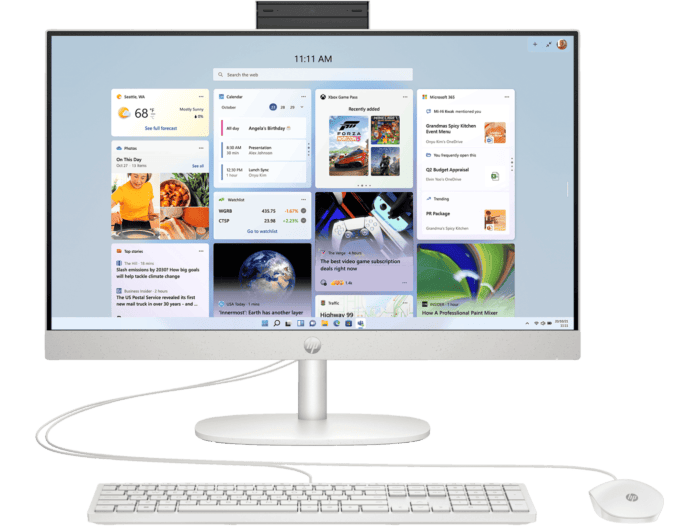
If you want a computer and screen in one object, the HP 23.8 inch All-in-One Desktop PC 24-cr0033a was listed at A$1,199. The all-in-one format suits people who value a clean desk and a simple setup. It is a good example of HP making the form factor part of the decision. The 23.8-inch All-in-One page is where to confirm its processor, memory, storage and included accessories.
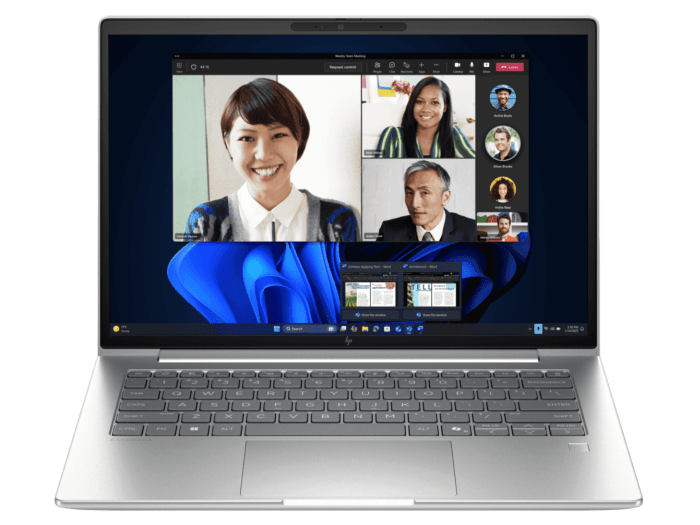
For a professional portable option, the HP EliteBook 6 G1i 14 inch Laptop AI PC, Silver was listed at A$3,199. The 14-inch format is a sensible balance for commuting, meetings and desk work, while the AI PC positioning points to newer productivity features. Review the EliteBook 6 G1i details if business security, manageability and a modern work profile matter to you.
At the opposite end of the range is the HP Limited Edition Scuderia Ferrari Notebook Next Gen AI PC, listed at A$8,854. It is a statement machine with a distinctive collaboration design, aimed at someone who wants performance and collectable character rather than a neutral work tool. The Scuderia Ferrari notebook page gives the exact specification and makes the premium positioning clear.
These examples are not a universal ranking. They show the range’s logic: simple desktop value, integrated convenience, professional portability and a high-end limited edition. A first-time shopper should compare the job, size and configuration before comparing the headline price.
- For a family desk: start with an OmniDesk or all-in-one.
- For commuting: look at a 14-inch laptop and check weight and battery information.
- For business: prioritise security, support, warranty and manageability.
- For gaming: move to OMEN or VICTUS rather than forcing an everyday model to do everything.
- For creative or technical workloads: compare Z by HP workstations and suitable displays.
Printing is a major part of the HP identity
It would be easy to focus on laptops and miss how much of HP’s range is built around printing. The Australian store covers standard inkjet printers, LaserJet models, large-format DesignJet systems, scanners, ink and toner, paper, Smart Tank devices and Instant Ink. That gives the brand a distinctive household-to-business span.
HP Smart Tank is particularly relevant to people who print often and want a refillable ink approach. The design is aimed at higher-volume colour printing than a basic occasional printer, so compare the included ink, page yield, wireless features and physical footprint with your actual routine. Browse the Smart Tank printer collection rather than assuming every model has the same capacity.
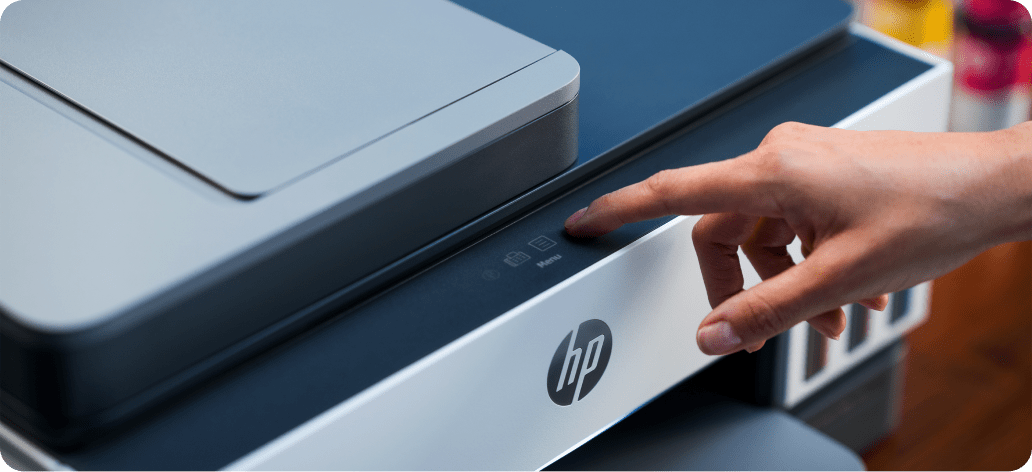
For lighter use, a compact inkjet may be enough. For text-heavy home-office documents, a laser printer can make more sense. HP also offers Instant Ink options and support pathways, which are worth considering when the ongoing cost and convenience of supplies matter as much as the printer itself.
- Occasional colour: compare compact inkjet models and total cartridge cost.
- Frequent colour: investigate Smart Tank capacity and refill pricing.
- Mostly documents: look at LaserJet speed, duplexing and toner yield.
- Ongoing convenience: compare Instant Ink terms with buying supplies as needed.
Why a first-time reader should care
HP is worth a closer look because it lets you solve a complete technology problem in stages. You might begin with a laptop, add a monitor when working from home becomes routine, then choose a printer when paperwork increases. Or you might start with a desktop and build a more comfortable setup around it. The full HP store catalogue keeps those choices connected.
The breadth is not automatically a reason to choose HP. It is a reason to compare thoughtfully. A brand with this many families can make it tempting to pay for specifications you will never use. Take ten minutes to write down your real needs, then use filters and product pages to verify them.
My practical verdict is that HP store Australia is strongest as a one-stop technology ecosystem. It gives first-time shoppers a recognisable path from everyday computing to business, gaming, professional and printing solutions. The direct Australian storefront, local support and visible product pages make that range easier to investigate than a vague brand promise.
Before you choose, check the latest HP offers and ask yourself three questions: will this device stay in one place, what task must it handle every day, and what support or accessory will make it easier to use? Those answers should guide the final comparison.
| Product | Best for | |
|---|---|---|
| HP OmniDesk Desktop PC M02-0014 | Value-focused fixed desk | See price |
| HP 23.8 inch All-in-One Desktop PC 24-cr0033a | Clean home workspace | See price |
| HP EliteBook 6 G1i 14 inch Laptop AI PC | Portable professional work | See price |
| HP Smart Tank printers | Regular home printing | See price |
Ready to compare the current models, configurations and Australian offers? Use the official storefront as your next step, and let your routine decide which part of the HP range deserves your attention first.



Leave a Comment