


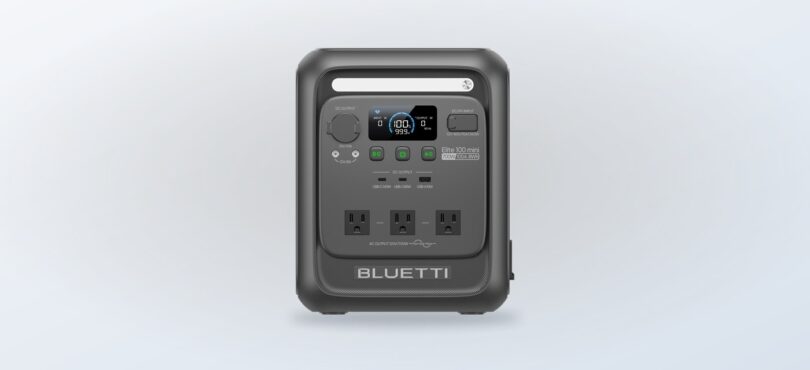
Choosing portable power gets easier when you start with the devices you need to run, not the biggest capacity number on a product page.
A weekend campsite, a laptop for mobile work and a refrigerator during an outage all ask for different things from a battery system. See the BLUETTI portable power range to compare the Canadian categories. The right option depends on load, runtime, portability and whether you can recharge while away from a wall outlet.
We reviewed the Canadian BLUETTI store’s product information to map those decisions to a few specific options. This guide focuses on how to make a shortlist and what to check before choosing a power station or solar bundle. The Canadian product listings are the place to confirm each configuration.
Some links in this article are affiliate links: if you make a purchase through them, we may receive a small commission.
Before you read on: Match output to the most demanding device you plan to power and capacity to the hours you need it to run. The Elite 30 mini suits lighter mobile needs, while the Apex 200 or AC200L belong on a larger backup shortlist; verify connections, charging conditions and current product details on the Canadian store.
What should you list before comparing power stations?
Write down the equipment first. “Camping power” could mean charging phones and lights, or it could include a cooler, cooking appliance and work equipment. Home backup has the same issue: keeping a modem and a few lights running differs substantially from supporting a refrigerator or multiple household circuits.
- Devices: note each item and its wattage from its label or manual.
- Runtime: estimate how many hours each device will be on, including intermittent use.
- Starting load: motors and compressors can draw more power at startup than during steady operation.
- Recharging: decide whether you can use a wall outlet, vehicle, solar panel or another supported input.
- Movement: consider who will carry or reposition the station and how often.
These notes help separate capacity in watt-hours from output in watts. Capacity gives a broad indication of stored energy; output describes what the unit can supply at once. Both matter, and either one can rule out a model. Browse BLUETTI station specifications alongside your load notes. Use the manufacturer’s listed figures as a starting point, then allow for conversion losses and real operating conditions rather than expecting every rated watt-hour to reach your devices.
How much output and capacity do your devices require?
For output, compare the station’s continuous AC rating with the highest combined load you might run at one time. Keep a margin if a device has a compressor or motor, and check whether the manufacturer specifies a separate surge rating or a special power-lifting mode. Those modes can have limits, so do not assume they make every appliance compatible. Check the model-specific output information before planning around a motor load.
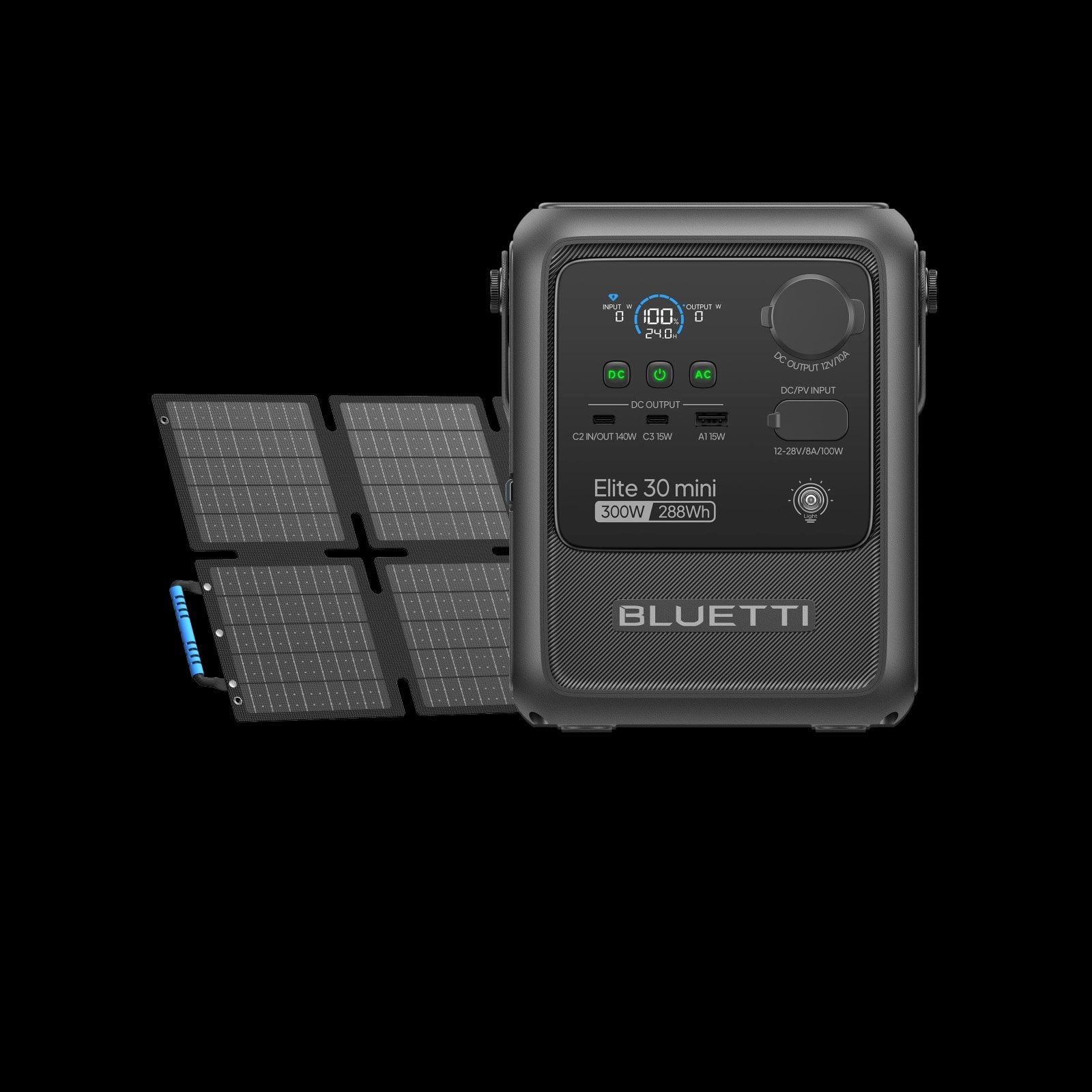
For capacity, estimate energy rather than adding appliance wattages. A simple planning estimate is device watts multiplied by hours of use, adjusted downward for the station’s usable energy and efficiency. A laptop used briefly each evening is a different demand from a fridge cycling through the night. The Elite 30 mini listing gives a useful compact reference point. If the device label gives amps or volts instead of watts, consult its manual or manufacturer guidance before comparing.
The Elite 30 mini is listed at 288Wh and 300W, with a 140W retractable USB-C cable. Those figures make the Elite 30 mini + SORA 60 worth considering for phones, smaller electronics and modest campsite needs. BLUETTI describes the station as lightweight at 3.3kg. That can help for portability, but 300W output and 288Wh capacity set clear limits for high-draw appliances or long runtimes. Compare its portable power features with the equipment list before committing.
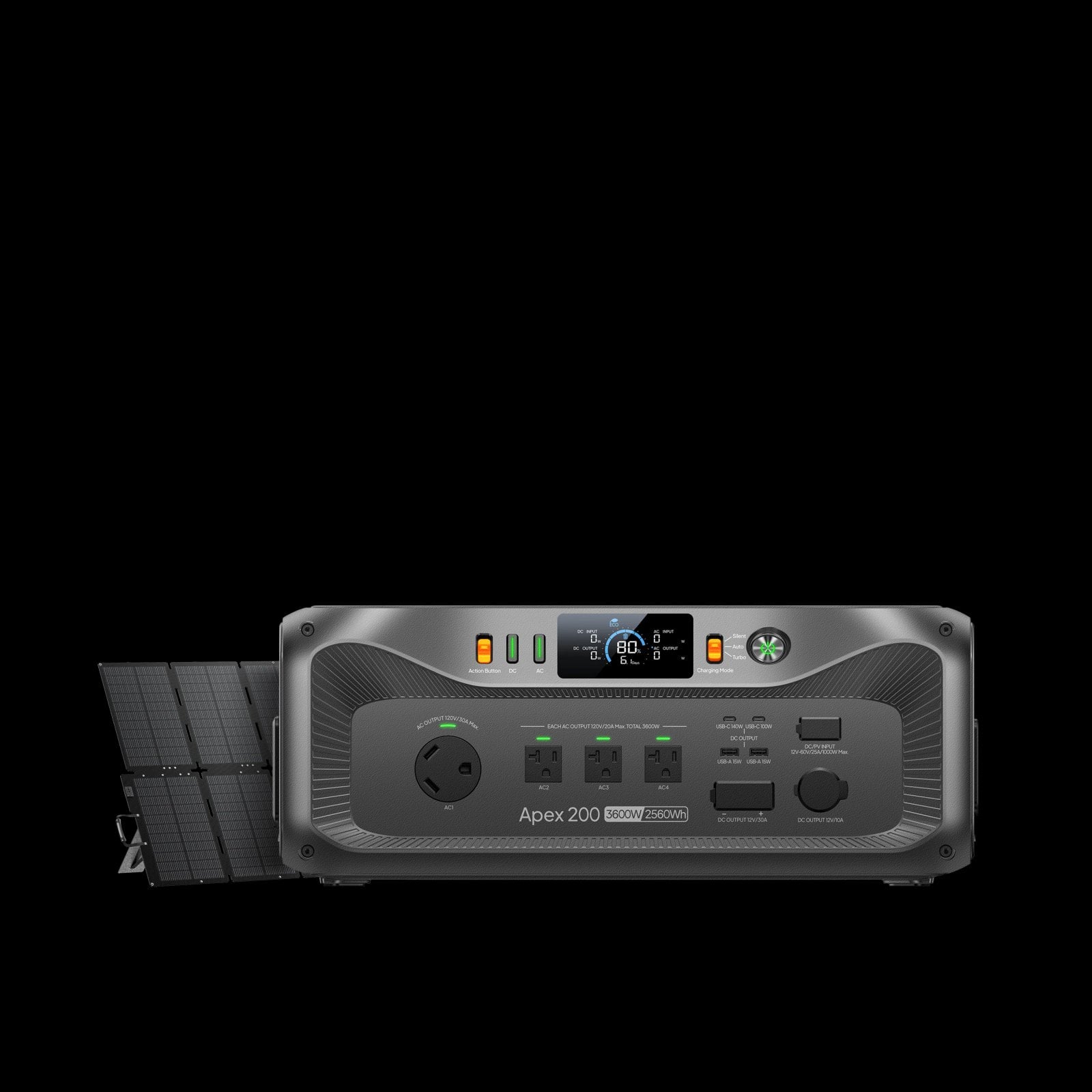
For a much larger reserve, the Canadian listing for the Apex 200 gives 2,560Wh capacity, 3,200W output, expansion up to 33kWh and up to 3,000W solar input. The product page now presents 3,600W in some range material, so confirm the exact configuration and output figures shown on the model page before purchase. Use this quick screening before treating the Apex as a fit:
- Check whether the output covers the largest simultaneous load.
- Estimate the required runtime and expansion needs.
- Confirm that the station can stay in the location you intend to power.
Will you carry the station or keep it near a backup load?
Portability is a practical specification, not a finishing detail. Check the complete weight, dimensions, handle design and how the unit will travel from storage to its point of use. A compact unit may be more likely to come along on a day trip, while a larger system could be better left in a utility area, vehicle or RV setup. Compare sizes in the BLUETTI Canada range.
- For frequent carrying, favour a smaller station and modest device list.
- For vehicle or RV use, verify the available charging method and cable compatibility.
- For a home outage plan, decide where the station can sit safely and how loads will connect.
- For expansion, confirm the exact compatible battery models and any required accessories.
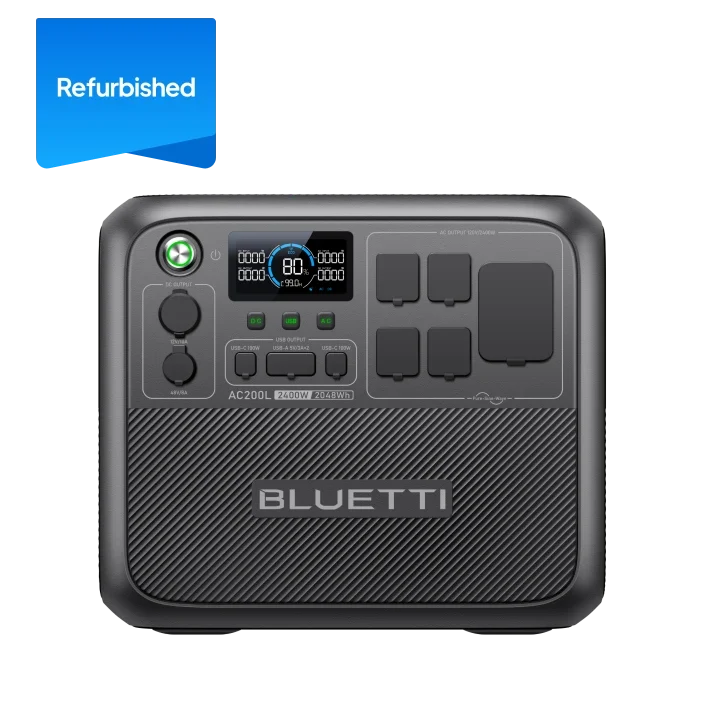
The AC200L listing describes 2,048Wh capacity, 2,400W AC output, up to 1,200W solar input and multiple recharge methods. It also describes expansion with compatible batteries. Its larger capacity is useful only if the weight and setup suit your location, so check the refurbished listing’s included items, condition terms and support coverage carefully. Availability and listing details can change. Read the current AC200L product information before deciding.
Compare the AC200L listing with the Apex 200 by intended location and growth plans. The former has an explicitly listed refurbished option; the latter highlights high solar input and a larger expansion ceiling. The best fit may be the one you can deploy correctly, rather than the one with the most generous headline specification.
Does solar charging belong in your plan?
Solar can extend time away from an outlet, but the panel rating is not a promise of constant input. Sun angle, shade, season, temperature, panel placement and charging windows all affect generation. In Canada, shorter winter days and changing weather make it sensible to plan conservatively and retain another recharge option when the application needs dependable power.
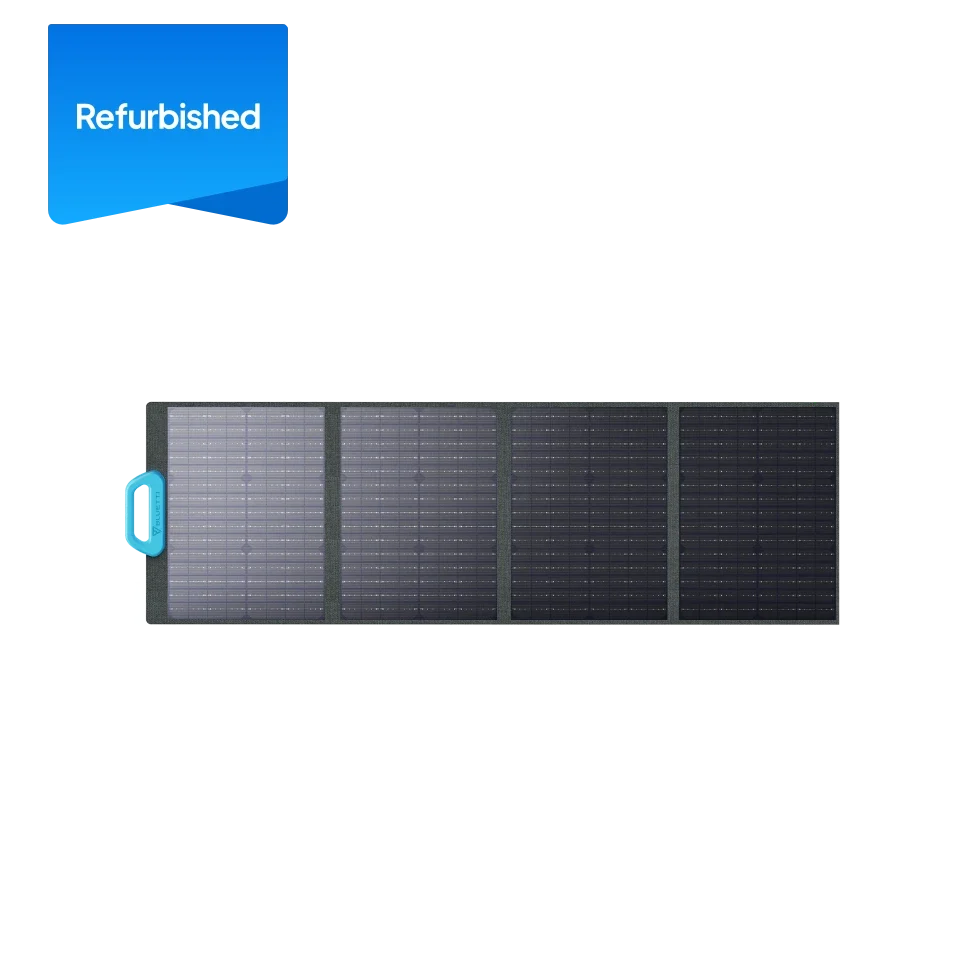
BLUETTI’s Apex 200 page lists up to 3,000W of solar input, while a bundled Apex 200 + 500W setup provides a panel as part of the configuration. Confirm the bundle’s exact panel, connectors and compatibility. A separate solar panel such as the PV120 is a different scale of input; its refurbished listing notes a 120W rating and portability. Do not combine panels unless the manufacturer says the configuration is supported.
Before adding a panel, ask three questions:
- Can you place it in direct sun for useful periods without constant adjustment?
- Does its connector and voltage range match the station’s solar input?
- Will the expected recharge time work with your schedule and energy demand?
If the answers are uncertain, begin by assessing the station alone and revisit solar after checking the product’s input limits and panel documentation. A bundle can simplify matching components, but it may include equipment you will not use. Compare its contents with the individual product pages instead of choosing on the word “solar” alone. See BLUETTI solar options for compatible configurations.
Which BLUETTI option fits each use case?
This shortlist uses the Canadian store’s listed specifications as a screening tool. Product configurations, included accessories and technical details can differ between standalone units and bundles, so open the relevant product page before settling on a setup. Browse BLUETTI Canada products for current configuration details.
| Product | Best for | |
|---|---|---|
| Elite 30 mini + SORA 60 | Compact electronics and lighter trips | See price |
| Apex 200 + 500W | Expandable backup with solar in the bundle | See price |
| Refurbished AC200L | Higher output and multiple recharge options | See price |
Use the Elite 30 mini for a deliberately small device list, the Apex 200 when expansion or solar input matters, and the AC200L when its specific output, capacity and refurbished terms fit the job. These are different tiers rather than direct substitutes. If your use case involves a hard-wired home connection, confirm installation requirements and local electrical guidance with a qualified professional.
What should you verify before choosing a configuration?
Use the product page as the final specification sheet, especially when you are comparing bundles, refurbished stock or a recently updated range. Product names can look similar even when capacities, accessories or connectors differ. Save the exact listing you evaluated so your household or travel plan refers to one configuration.
- Output: continuous watts, surge limits, AC voltage and port types.
- Energy: capacity, expected runtime and any expansion battery compatibility.
- Charging: AC, vehicle and solar inputs, cables, limits and estimated conditions.
- Physical fit: weight, dimensions, ventilation and storage location.
- Ownership details: included accessories, warranty, return terms and refurbished condition.
Cost is usually shaped by capacity, output tier, expansion batteries, solar panels and included accessories. Compare complete setups against the equipment you actually need, then check the current Canadian store listing for the current price and availability. Avoid treating a headline capacity as a direct measure of runtime without accounting for load and conversion losses.
One limitation across portable battery systems is that they need planning: recharging takes time, output is finite and a compact unit cannot replace a whole-home installation. Product pages explain the manufacturer’s specifications, but they cannot determine your household’s exact load profile. Check the BLUETTI backup options against your own requirements. For critical medical devices or essential home systems, get advice on a suitable backup plan and test the intended connection under safe conditions.
Ready to choose a BLUETTI setup?
Start with the device list, eliminate models that miss your output or runtime needs, then compare portability and charging options. For lighter travel, the Elite 30 mini is the clearest compact starting point. For larger backup needs, compare Apex 200 configurations and the AC200L listing against your planned loads and available space.
BLUETTI’s Canadian range gives buyers a choice between compact portability, expandable storage and solar-ready configurations. The honest caveat is that higher capacity does not remove the need to calculate runtime or plan safe connections. Check the exact model, included equipment and current price on the Canadian store before making the call.


Leave a Comment