


One fair warning: smart features can create a new kind of parental worry. More graphs and alerts do not always mean more rest. The best setup is the one that gives you useful information without encouraging constant checking. Start with the alerts you genuinely need, then add features gradually.
Breathing Wear and the accessory question
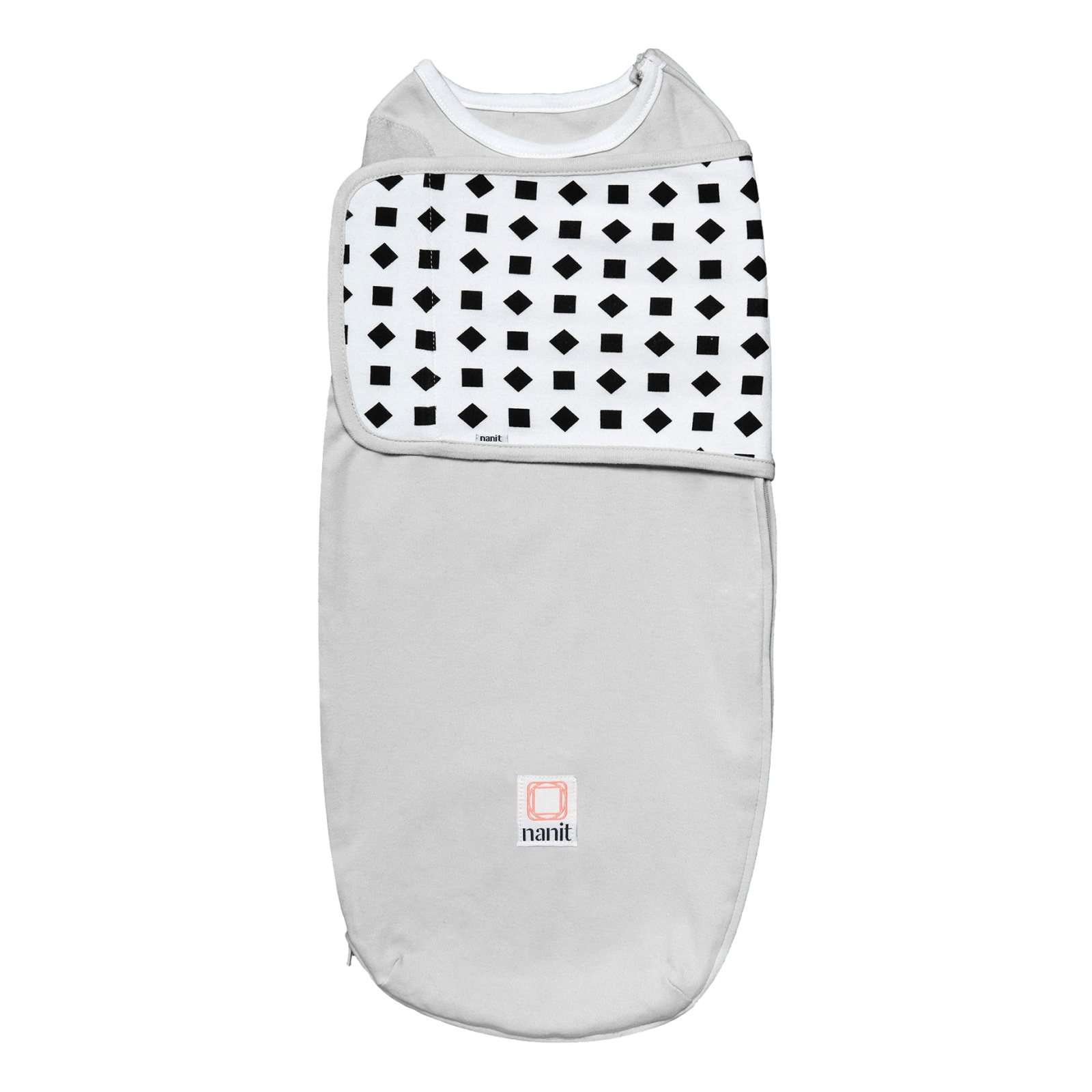
Breathing Wear Swaddle is listed from $29.99 and is designed to work with Nanit’s breathing motion features. A typical monitor does not usually connect to purpose-built clothing, so this is one of the clearest points of difference. It may appeal to parents who want a more integrated sleep setup, while others will reasonably prefer ordinary sleepwear and fewer items to wash and size.
- Consider breathing accessories if you value connected monitoring and will follow the product instructions carefully.
- Skip them if your priority is a minimal nursery with fewer recurring purchases.
- Remember that monitoring tools support attentive care; they do not replace safe-sleep guidance or a caregiver’s judgment.
The accessory ecosystem can also make Nanit more future-proof. A wall mount keeps a permanent nursery tidy, a Flex Stand supports travel and a home display gives you a dedicated viewing option. The bundle configuration is worth comparing with buying each item separately. But accessories can push the final bill well above the headline price. Compare the complete setup you want, not just the camera number.
Which option is right for your household?
Here is the honest split. A basic video monitor is the sensible pick for a tight budget, grandparents’ house or occasional use. An audio monitor is ideal when reliability and simplicity matter more than a picture. A premium smart monitor is worth considering when remote access and notifications are central. Nanit is the strongest fit for data-minded parents who want one system to follow sleep, check breathing motion and adapt as the nursery changes.
- Pick the base Nanit system if you want the core smart features at the lowest entry price.
- Pick The Best Sellers Bundle if you want a display, travel flexibility and a more complete registry gift.
- Add Sound + Light if app-controlled soothing sounds fit your bedtime routine.
- Choose a typical alternative if you will not use sleep data or connected alerts.
For most first-time parents who are already comfortable with connected devices, my recommendation is the Smart Baby Monitor System with only the accessories you can name a use for. It delivers the distinctive Nanit experience without committing you to the biggest bundle. For frequent travelers or families who want a dedicated screen, the Best Sellers Bundle is the more convenient starting point.
| Product | Best for | |
|---|---|---|
| Smart Baby Monitor System | Core smart monitoring | See price |
| The Best Sellers Bundle | Complete home and travel setup | See price |
| Sound + Light Machine | Connected bedtime routines | See price |
| Breathing Wear Swaddle | Compatible breathing features | See price |
In short, Nanit costs more than a basic monitor because it does more than display a crib. The value is personal: families who use the sleep insights and smart alerts can get a genuinely more useful nursery companion, while minimalists may be happier with a simpler camera. Check the current configuration and price, then choose the level of information that will actually help your household rest.
Choosing a baby monitor is one of those nursery decisions that looks simple until you compare the details. A basic audio or video model can show you what is happening in the crib for a modest upfront price. Nanit takes a broader view: its connected system pairs a camera with sleep tracking, breathing motion monitoring, video history and real-time notifications. The question is whether those extras genuinely improve life or simply add cost and another app.
This comparison weighs Smart Baby Monitor System against the typical alternatives buyers consider: an inexpensive camera, a traditional audio monitor and a premium smart competitor. Prices and availability can change, but the current Nanit range starts at $289.99 for the monitor system. My short verdict is straightforward: choose Nanit if useful data and alerts matter to you; choose a basic monitor if you mainly need a live picture and the lowest possible cost.
What Nanit does differently
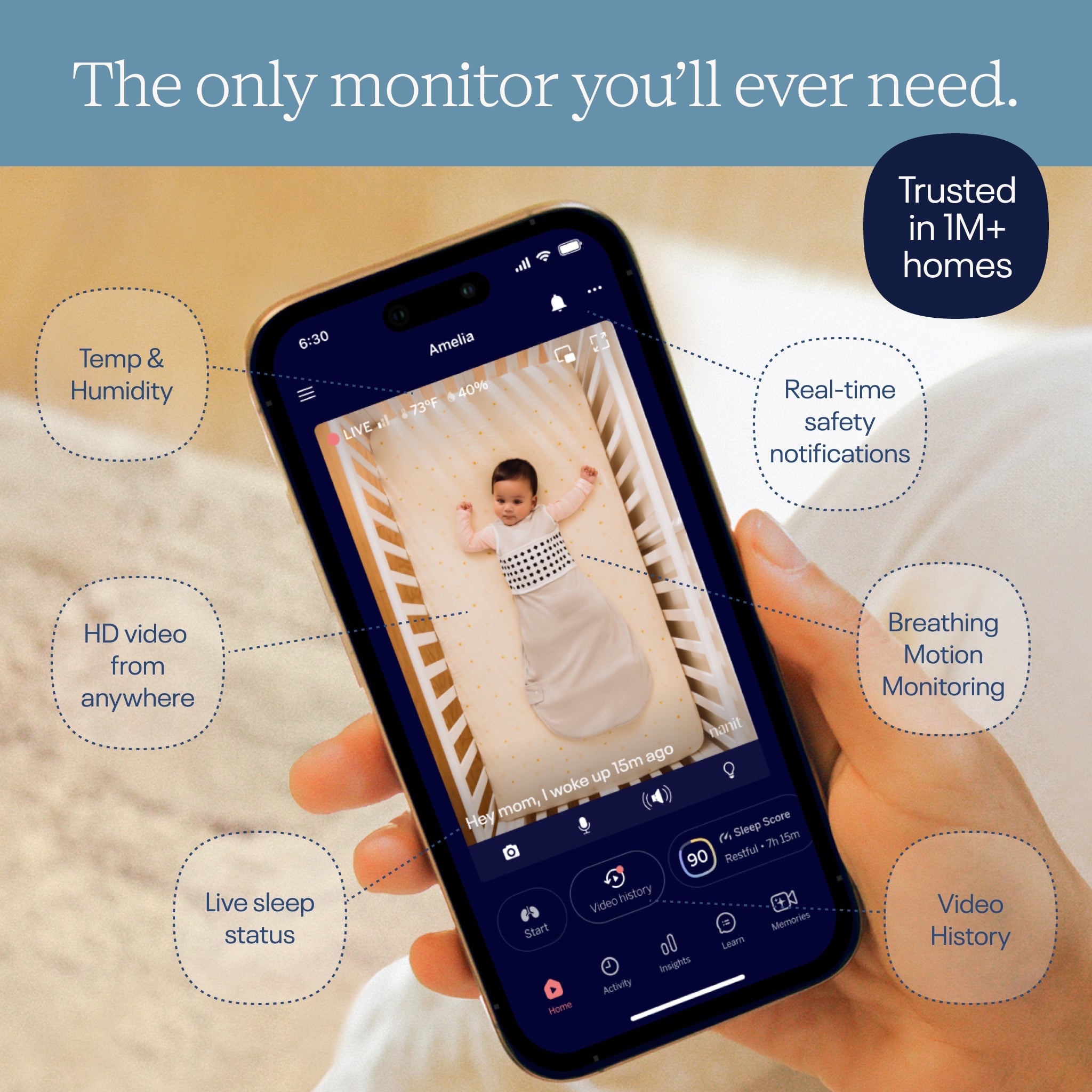
The central difference is that Nanit is built as an ongoing information system rather than a camera with a screen. The app gives parents a live view, while compatible accessories and software add context around sleep and breathing motion. That makes the product more involved than a plug-and-play camera, but it can also mean fewer separate nursery gadgets over time.
- Sleep tracking turns bedtime and wake-up patterns into an easier-to-read routine.
- Breathing motion monitoring works with compatible Breathing Wear Swaddle and other breathing accessories.
- Real-time safety notifications can draw attention to events that are easy to miss during a busy day or night.
- Video history helps parents review sleep rather than relying only on memory.
- Remote access lets approved users check in from outside the home.
A typical budget camera may offer night vision, two-way audio and motion alerts. Those are useful basics, and they may be all a family needs. The distinction is that Nanit connects the live feed to a longer-term picture of sleep. If you already track naps in a notebook or another app, that integration may feel worthwhile. If you never look at trends, it may feel like unnecessary complexity.
There is also a practical advantage to the system approach. The camera can stay relevant as a baby grows, while stands, wearables and display options change how it fits the room. That is more adaptable than replacing an entire monitor when your setup changes, although it does mean thinking through which accessories you will actually use. The monitor page shows the available configurations clearly.
Price and what you get for it
The Smart Baby Monitor System is listed from $289.99. That is a meaningful step above a standard camera, especially once you account for a stand, breathing accessories or a separate display. The price buys an intelligent camera platform, but buyers should check which configuration is selected before comparing totals.
- A budget video monitor usually wins on lowest upfront spend.
- A traditional audio monitor wins on simplicity and does not depend on a strong home network.
- A premium smart monitor may offer similar app features, but the user experience and accessory ecosystem differ.
- Nanit becomes better value when you will use sleep insights, video history and compatible breathing products regularly.
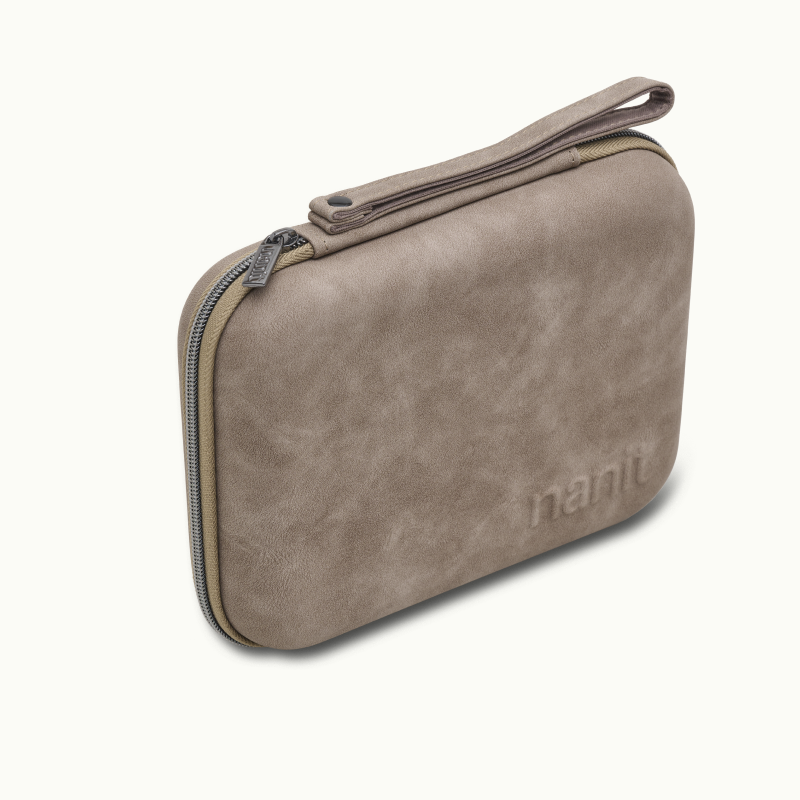
For families starting from zero, The Best Sellers Bundle is listed from $369.00 and includes a Home 8-inch Display, Flex Stand and Travel Case alongside the monitor setup. That is a more coherent comparison with a premium all-in-one alternative because it addresses home viewing and travel in one purchase. It is not automatically the best deal, though: if your phone is enough and you will not travel with the camera, the base system is easier to justify.
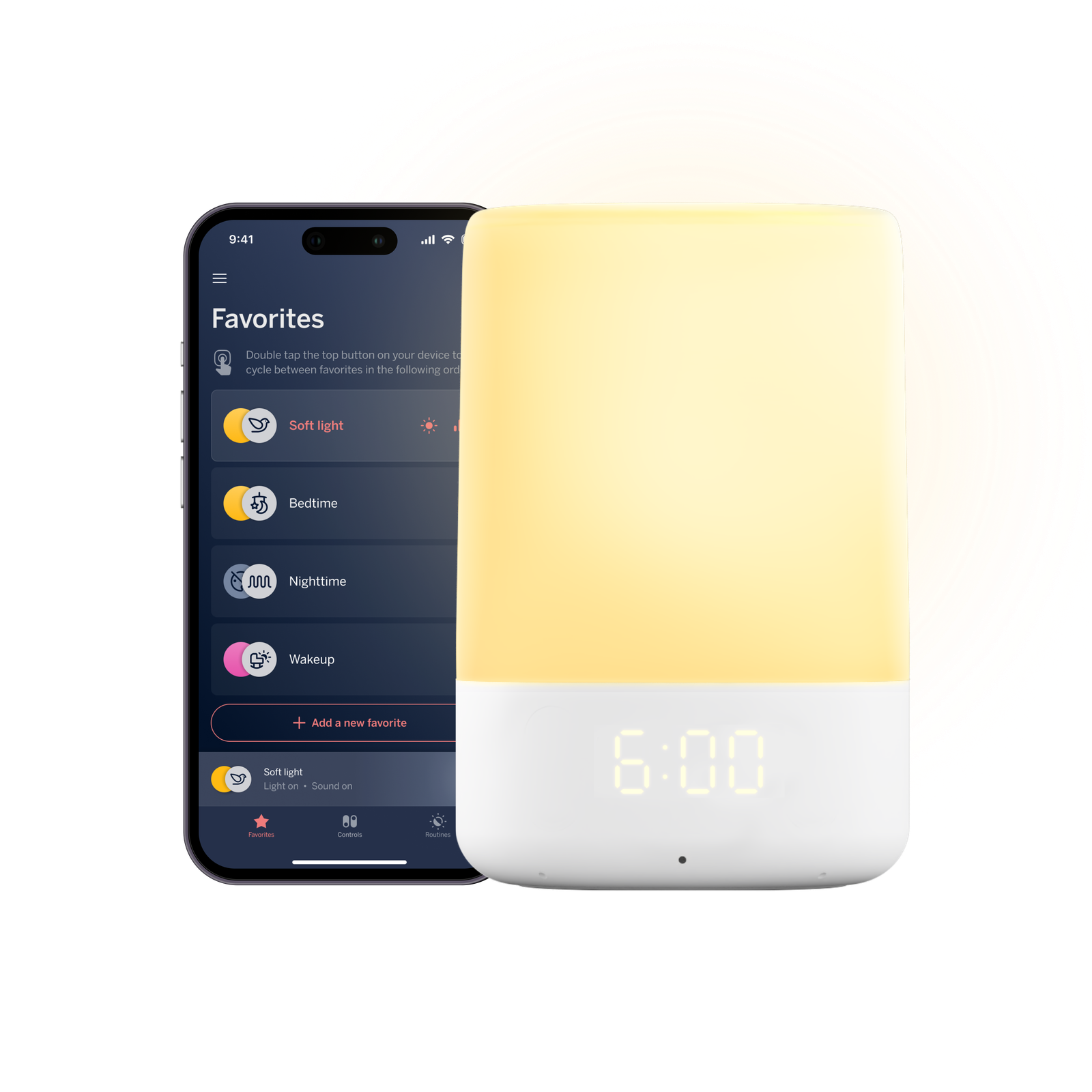
Nanit also lists the Sound + Light Machine from $99.99. It is a separate sleep aid with app control and 11 soothing sounds. Compared with a generic white-noise machine, its appeal is keeping sound and light controls in the same connected nursery routine. It is a nice add-on, but I would not treat it as essential to the monitor decision.
Setup, daily use and privacy
A traditional monitor is usually fastest to set up: plug in the camera, pair the parent unit and start watching. Nanit asks for a little more planning because the camera connects to an app and the mounting position affects the view. That effort pays off when the overhead angle is right, but renters or parents who move the crib often may prefer a flexible stand.
- Choose the camera, mount and display configuration that fits your room.
- Install the app and follow the connection prompts before bedtime.
- Position the camera so the full sleep space is visible without relying on a tight crop.
- Test notifications, audio and any compatible breathing accessory during the day.
- Invite only the caregivers who need remote access and review account settings.
That last step matters. Any internet-connected baby monitor deserves the same care as a home security device: use a strong unique password, keep software updated and limit account access. Nanit’s privacy and security approach is an important selling point for connected-home shoppers, but no networked product should be treated as a substitute for sensible account hygiene. A local audio monitor remains the simplest choice for parents who want to avoid cloud features altogether.
In everyday use, Nanit is strongest when different caregivers want different kinds of reassurance. One parent can check the live feed, another can look at the sleep timeline and someone working a night shift can receive a notification remotely. Those are small conveniences that add up during a tiring month. They are less compelling if everyone is already in the same room and one glance at a crib is enough.
One fair warning: smart features can create a new kind of parental worry. More graphs and alerts do not always mean more rest. The best setup is the one that gives you useful information without encouraging constant checking. Start with the alerts you genuinely need, then add features gradually.
Breathing Wear and the accessory question
Breathing Wear Swaddle is listed from $29.99 and is designed to work with Nanit’s breathing motion features. A typical monitor does not usually connect to purpose-built clothing, so this is one of the clearest points of difference. It may appeal to parents who want a more integrated sleep setup, while others will reasonably prefer ordinary sleepwear and fewer items to wash and size.
- Consider breathing accessories if you value connected monitoring and will follow the product instructions carefully.
- Skip them if your priority is a minimal nursery with fewer recurring purchases.
- Remember that monitoring tools support attentive care; they do not replace safe-sleep guidance or a caregiver’s judgment.
The accessory ecosystem can also make Nanit more future-proof. A wall mount keeps a permanent nursery tidy, a Flex Stand supports travel and a home display gives you a dedicated viewing option. The bundle configuration is worth comparing with buying each item separately. But accessories can push the final bill well above the headline price. Compare the complete setup you want, not just the camera number.
Which option is right for your household?
Here is the honest split. A basic video monitor is the sensible pick for a tight budget, grandparents’ house or occasional use. An audio monitor is ideal when reliability and simplicity matter more than a picture. A premium smart monitor is worth considering when remote access and notifications are central. Nanit is the strongest fit for data-minded parents who want one system to follow sleep, check breathing motion and adapt as the nursery changes.
- Pick the base Nanit system if you want the core smart features at the lowest entry price.
- Pick The Best Sellers Bundle if you want a display, travel flexibility and a more complete registry gift.
- Add Sound + Light if app-controlled soothing sounds fit your bedtime routine.
- Choose a typical alternative if you will not use sleep data or connected alerts.
For most first-time parents who are already comfortable with connected devices, my recommendation is the Smart Baby Monitor System with only the accessories you can name a use for. It delivers the distinctive Nanit experience without committing you to the biggest bundle. For frequent travelers or families who want a dedicated screen, the Best Sellers Bundle is the more convenient starting point.
| Product | Best for | |
|---|---|---|
| Smart Baby Monitor System | Core smart monitoring | See price |
| The Best Sellers Bundle | Complete home and travel setup | See price |
| Sound + Light Machine | Connected bedtime routines | See price |
| Breathing Wear Swaddle | Compatible breathing features | See price |
In short, Nanit costs more than a basic monitor because it does more than display a crib. The value is personal: families who use the sleep insights and smart alerts can get a genuinely more useful nursery companion, while minimalists may be happier with a simpler camera. Check the current configuration and price, then choose the level of information that will actually help your household rest.



Leave a Comment